when to replace a surge protector
Knowing when to replace surge protector devices is important because a surge protector can still provide power even after its protection is worn out. Replace a surge protector when the protection light is off, the unit is damaged, it has handled a major surge, it feels hot, smells burnt, buzzes, sparks, has melted or cracked plastic, has loose outlets, or is old enough that you no longer trust it.
A surge protector is a safety product, not a forever product. It should not be opened, repaired, modified, or used to cover up outlet problems. If the wall outlet itself is hot, loose, discolored, buzzing, sparking, or not located where you need power, call an electrician instead of plugging in another strip.
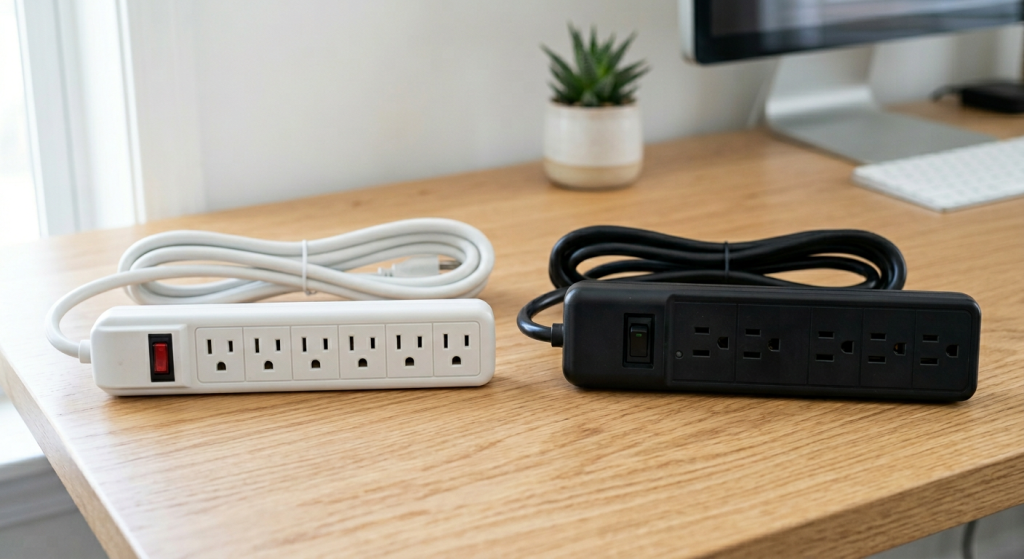
When to Replace Surge Protector Devices
A surge protector should be replaced when it shows signs of damage, overheating, wear, or lost protection. It should also be replaced after a major power event, such as a nearby lightning strike, a serious surge, or a storm that caused electrical problems in the home.
Many homeowners keep surge protectors for years because the outlets still work. That can be misleading. A surge protector may continue to pass power to your devices even when the surge protection parts inside are no longer doing their job.
That is why knowing when to replace surge protector devices is mostly about warning signs, age, and trust. If you are unsure whether the unit is still protecting your electronics, replacement is usually the safer choice.
| Replacement clue | What it may mean | Safest next step |
|---|---|---|
| Protection light is off | Surge protection may no longer be active | Replace the surge protector |
| Burnt smell, heat, sparks, or buzzing | Possible overheating or electrical damage | Unplug it if safe and stop using it |
| Cracked case, melted plastic, or loose outlets | Physical damage or wear | Replace it immediately |
| Major storm, surge, or old age | Protection may be reduced | Replace if protection status is unclear |
Do not wait for a surge protector to fail dramatically. If it looks damaged or behaves strangely, take it out of service.
Why Surge Protectors Wear Out
Surge protectors are designed to absorb or divert short bursts of extra voltage. These bursts can come from storms, utility events, large equipment cycling on, or other power disturbances.
The key point is that surge protection is not unlimited. Each event can reduce the protector’s ability to handle the next one. A small surge may not cause visible damage. A larger surge may use up much of the protection at once.
That is why an old surge protector can be tricky. It may look fine, the switch may light up, and your computer or TV may still turn on. But the protection inside may be weaker than it was when the unit was new.
Surge protector lifespan depends on the quality of the device, the electrical conditions in your area, how many surge events it has handled, and how heavily it is used. There is no perfect outside-only test that tells a homeowner exactly how much protection remains.
A simple way to think about when to replace surge protector devices is this: if the unit has protected your equipment for years, handled a major event, or no longer gives a clear protection signal, it has done its job. Replacing it is part of normal home maintenance.
Warning Signs That Mean Replace It Now
Some surge protector warning signs should not be ignored. These are not “watch it for a while” situations. They mean the unit should be taken out of service.
Replace the surge protector right away if you notice:
- A burnt smell, smoke, sparks, buzzing, or popping sounds
- A hot plug, hot cord, hot switch, or hot plastic housing
- Melted plastic, cracks, scorch marks, or discoloration
- Outlets that feel loose or do not hold plugs firmly
- A protection indicator light that is off or unclear
- Damage after a storm, power surge, or lightning event
Do not open the surge protector to inspect it. Do not repair the cord, switch, outlets, plug, or internal parts. A damaged surge protector should be replaced, not fixed.
Also pay attention to the wall outlet. If the surge protector seems fine but the wall outlet is loose, hot, discolored, cracked, sparking, or buzzing, the problem may not be the strip. Stop using that outlet and call an electrician.
Avoid using a new surge protector as a cover-up for a bad outlet location. If you need power in a place where cords are stretched, pinched, or run across walkways, the safer long-term answer may be a properly installed outlet, not another plug-in strip.
What the Indicator Light Can and Cannot Tell You
Many surge protectors have an indicator light that shows whether surge protection is active. This light may be labeled “protected,” “protection,” or something similar.
If that light is off, the safest move is to replace the surge protector. The unit may still provide power, but the surge protection may be gone. Do not assume the device is protecting your electronics just because the outlets still work.
Some surge protectors also have a grounded light. This may indicate whether the outlet connection appears grounded. If the grounded light is off, the surge protector may not be able to protect equipment the way you expect. A missing or unclear ground signal is also a reason to stop and have the outlet checked by an electrician.
Indicator lights are helpful, but they are not perfect. A light can fail, labels can be confusing, and older models may not show much information. If the unit is old and the protection status is unclear, replacement is a reasonable choice.
This is also where product quality matters. When buying a replacement, look for clear indicator lights that are easy to understand at a glance. A surge protector that hides important status information or uses confusing labels is not ideal for everyday homeowner use.
What Not to Plug Into a Surge Protector
Surge protectors are useful for electronics, office equipment, entertainment systems, routers, chargers, and similar low-to-moderate loads. They are not a general solution for every item that needs power.
High-draw appliances can overload a typical plug-in surge protector or power strip. Even if the plug fits, that does not mean the strip is the right product for the job.
Avoid plugging these into a typical surge protector:
- Space heaters
- Portable air conditioners
- Microwaves
- Refrigerators or freezers
- Sump pumps
- Hair dryers, toaster ovens, or other high-heat appliances
Always follow the device and surge protector instructions. Some specialty products may be rated for specific uses, but do not guess. If a product does not clearly say it is made for that type of load, do not use it that way.
Never daisy-chain surge protectors, power strips, or extension cords together. Do not run cords under rugs, furniture, bedding, or doors. Do not use adapters to force plugs to fit. These habits can create heat, damage cords, and hide warning signs.
If you keep needing more outlets in the same area, that is a sign to rethink the setup. A better surge protector may help for electronics, but repeated overloads, hot plugs, tripping breakers, or crowded cords are reasons to call an electrician.
If you are comparing plug-in power products for home electronics, this guide on surge protector vs power strip explains the difference and where each one fits safely.
What to Look For in a Replacement
When it is time to replace a surge protector, choose the product based on where it will be used and what it will protect. You do not need a complicated setup for every room, but you should match the protector to the job.
Basic surge protectors are common for desks, chargers, lamps, routers, and small electronics. Heavy-duty surge protectors may be worth comparing for workshops, home offices, or entertainment centers with several devices. Wall-tap surge protectors can work where you need a compact setup, but they should not be used where plugs are loose or likely to be bumped. UPS battery backup units can help computers, modems, routers, and office equipment stay on briefly during outages.
Whole-home surge protection is a different category. It can help reduce surge risk at the electrical system level, but it is not a plug-in product and should be discussed with an electrician. Do not try to install it yourself.
Look for these features before buying:
- Surge protection rating that matches the equipment you plan to protect
- Clear protection and grounded indicator lights
- A grounded plug and cord in good condition
- Enough outlet spacing for larger plugs
- A safety listing from a recognized testing organization
- Instructions that clearly explain proper use and limits
Also think about cord length. A longer cord may seem convenient, but it should not be used to run power under rugs, across doorways, behind heavy furniture, or anywhere it can be pinched or damaged.
For expensive electronics, compare features carefully. A cheap power strip is not always the same as a surge protector. Look for wording that clearly states surge protection, not just extra outlets.
If you are wondering about refrigerator protection specifically, this guide on surge protector for refrigerator use explains why ordinary strips are usually the wrong choice.
Final Thoughts
Knowing when to replace surge protector devices helps protect your electronics and reduce avoidable safety risks. Replace the unit when the protection light is off, the case or cord is damaged, it feels hot, smells burnt, buzzes, sparks, has loose outlets, has handled a major surge, or is old enough that you no longer trust it.
A surge protector can still pass power after its protection is worn out, so do not judge it by power alone. Use indicator lights, visible condition, age, and recent power events as your guide.
Do not repair surge protectors, open outlets, use adapters as a fix, or plug high-draw appliances into a typical strip. If the wall outlet is hot, loose, discolored, buzzing, sparking, or not where power is safely needed, call an electrician instead of buying another plug-in product.