Light switch gets hot: causes and safety warnings
When a light switch gets hot, the cause may range from normal heat produced by some electronic controls to an overloaded, incompatible, damaged, or failing switch. A standard on/off switch should not normally become noticeably hot. A dimmer or smart switch may feel slightly warm during normal operation, but a hot light switch with increasing heat, buzzing, crackling, burning odor, discoloration, melting, or breaker trips needs prompt attention.
| What you notice | What it may mean | What to do |
|---|---|---|
| Standard switch feels hot | Abnormal load, poor connection, or failing switch | Stop using it and arrange evaluation |
| Dimmer feels slightly warm | May be normal electronic heat | Confirm it remains only mildly warm and operates normally |
| Smart switch feels slightly warm | Electronics may dissipate some heat | Check manufacturer information and normal operation |
| Heat increases with lighting load | Control may be operating near its rating or have a compatibility issue | Check external product ratings |
| Switch buzzes and feels hot | Control or electrical connection problem | Stop using it |
| Burning smell or discoloration | Overheating or electrical damage | Stop troubleshooting |
| Switch plate or device is visibly damaged | Heat or physical damage | Leave the switch unused |
| Breaker trips | Circuit or control fault may be present | Do not repeatedly reset it |
Safety First: Know When to Stop
Stop homeowner troubleshooting if you notice a burning smell, smoke, sparks, buzzing, crackling, popping, unusual or increasing heat, discoloration, melted plastic, visible switch damage, a loose switch body, moisture, or repeated breaker trips.
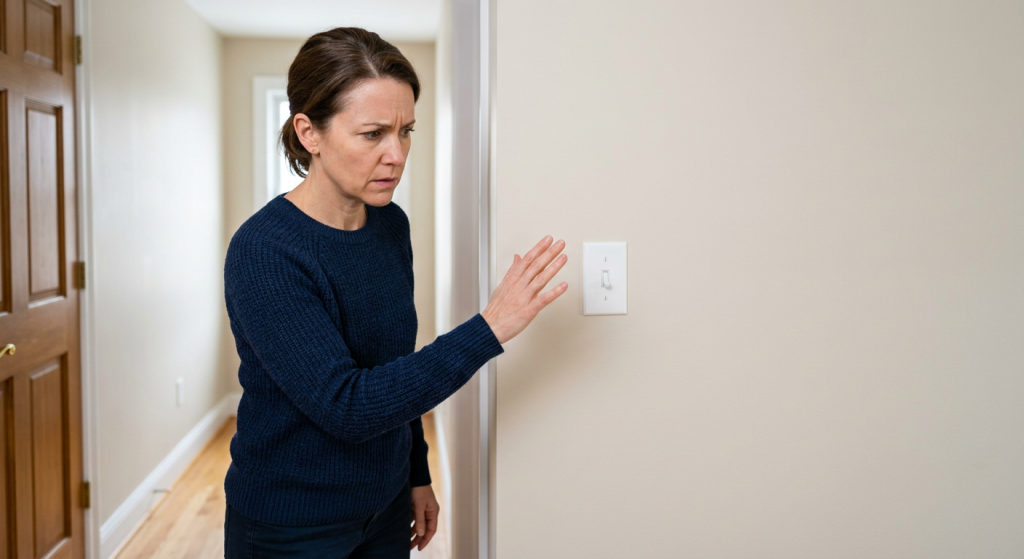
Do not repeatedly touch the switch to judge whether it is getting hotter, and do not keep operating it simply to reproduce the symptom.
Keep all checks external. Do not remove the switch plate, pull the switch from the electrical box, touch terminals or wiring, tighten electrical connections, inspect wiring behind the switch, perform live-voltage testing, replace the switch or dimmer as a diagnostic experiment, open the electrical panel, replace a breaker, or install a larger breaker.
If the switch is clearly hot or shows another warning sign, leave it unused and have the cause professionally evaluated.
1. First, identify the Type of Switch
The type of control matters when deciding whether warmth is expected.
Common wall controls include:
- Standard on/off switches
- Dimmers
- Smart switches
- Timers
- Motion or occupancy controls
- Fan/light controls
A traditional mechanical on/off switch should not normally become noticeably hot during ordinary use.
Electronic controls are different. Dimmers, smart switches, timers, and similar devices contain electronic components that can produce some heat while operating. Mild, stable warmth may therefore be normal for certain products.
That does not mean significant heat should be dismissed simply because a control is electronic.
If a dimmer switch gets hot enough to seem clearly abnormal, becomes progressively warmer, smells burnt, makes electrical noise, or shows visible deterioration, stop treating the warmth as routine electronic heat.
2. Distinguish Slight Warmth From Excessive Heat
There is an important difference between slightly warm and distinctly hot.
Possible normal behavior for some electronic controls includes:
- Mild warmth during operation
- Heat that remains stable rather than increasing
- Normal switch operation
- No burning odor
- No discoloration
- No buzzing or crackling
- No breaker trips
More concerning signs include:
- A standard switch that becomes noticeably hot
- Heat that increases while the light remains on
- A switch or wall plate that feels clearly hot rather than mildly warm
- Heat severe enough to be uncomfortable or painful on incidental contact
- Melted or warped plastic
- Burning odor
- Discoloration
- Buzzing, crackling, or popping
Do not repeatedly touch the device to estimate its temperature. You also do not need to measure the internal temperature of the switch.
There is no useful universal temperature number for every switch and control. Product design, electrical load, installation conditions, and manufacturer requirements vary.
The practical distinction is whether the warmth is mild and expected for that particular control or whether the device is clearly overheating or showing additional warning signs.
3. Consider the Electrical Load
Switches and dimmers are designed for specific electrical loads.
A control may operate warmer when it is supplying a larger lighting load, especially with configurations such as:
- Many bulbs on one switch
- High-wattage fixtures
- Multiple recessed lights
- Older incandescent or halogen lighting
- Fan/light combinations
You do not need to perform circuit calculations or examine wiring inside the switch box.
If the switch or dimmer has manufacturer information that can be checked externally, compare the connected lighting type with the control’s intended use and rating.
A dimmer that becomes warmer as the lighting load increases may be responding to the amount or type of load it is controlling. However, excessive heat should not simply be accepted as normal.
Do not try to solve a suspected load problem by changing breakers or modifying wiring. Those changes require professional evaluation of the circuit and control.
4. Check Dimmer and Bulb Compatibility
LED lighting has made switch compatibility especially important.
A dimmer and bulb combination that does not work well together may produce symptoms such as:
- Excessive warmth
- Buzzing
- Flickering
- Poor dimming
- Lights that do not turn fully off
- Unstable operation
A bulb may be labeled dimmable but still not operate well with every dimmer.
If you have the product labels, packaging, or manufacturer information, check whether the bulbs and dimmer are intended to work together. This is an external compatibility check and does not require opening the wall box.
If the control behaves poorly with the current lamps, do not replace the dimmer simply to experiment with a different model. A qualified electrician can evaluate the existing control, connected load, and circuit when compatibility cannot be resolved through product information alone.
5. Look for Visible Warning Signs
Inspect the switch and surrounding wall plate visually without removing anything.
Look for:
- Brown, yellow, or black discoloration
- Melted or softened plastic
- A cracked wall plate
- A warped switch or control
- A switch body that appears loose
- Smoke
- Visible sparking
- Damaged material around the switch
Do not touch damaged areas simply to determine whether they are warm.
Visible damage is enough reason to stop using the switch.
If the control has become physically loose, operates intermittently, or no longer works at all, that may point to a failed control or another electrical problem. The guide to a light switch not working covers that separate symptom in more detail.
6. When a Loose Connection or Failing Switch May Be Involved
A hot switch can sometimes result from an internal electrical problem rather than the normal heat produced by the control.
Possible causes include:
- A loose electrical connection
- Worn switch contacts
- Failing dimmer electronics
- A damaged switch
- Electrical arcing
- An overheating wiring connection
These conditions can produce similar outward symptoms.
Clues may include heat, intermittent operation, buzzing, crackling, flickering lights, odor, or discoloration.
None of those observations reliably identifies the exact internal fault. A loose connection and a failing switch, for example, can produce overlapping symptoms.
Do not remove the wall plate or switch to determine which component is responsible. Diagnosing connections behind the switch requires access to electrical equipment and may involve energized conductors.
7. Hot Switch With Buzzing, Crackling, or Burning Smell
Heat combined with electrical noise or odor increases concern.
A switch that is both hot and buzzing or crackling may have a deteriorating control, unstable electrical connection, or arcing condition. A burning smell can indicate overheating of electrical components or surrounding materials.
Likewise, discoloration or melted plastic suggests that the problem has progressed beyond ordinary control warmth.
Stop operating the switch rather than repeatedly turning it on and off to determine whether the sound or odor returns.
Even an electronic dimmer or smart control that normally runs somewhat warm should not be assumed normal when heat is accompanied by these additional symptoms.
8. Hot Switch With Flickering or Breaker Trips
A hot switch accompanied by flickering lights may indicate a problem involving the control, connected load, electrical connection, or circuit.
Pay attention to whether the flickering occurs when the switch is operated or whether several lights served by the same control flicker together.
If your primary symptom is that lights flicker in one room, that pattern can help distinguish a bulb or fixture issue from a broader control or circuit problem.
Repeated breaker trips add another warning sign.
Do not repeatedly reset a breaker or continue operating the hot switch to reproduce the trip. Protective devices may be responding to an electrical condition that requires diagnosis rather than repeated restoration of power.
9. When to Call an Electrician
Have a qualified electrician evaluate the switch when a standard on/off switch becomes noticeably hot or when an electronic control becomes more than mildly warm.
Professional evaluation is also appropriate when:
- Heat is increasing.
- The wall plate becomes hot.
- Buzzing, crackling, or popping occurs.
- A burning smell appears.
- Discoloration or melting is visible.
- The switch works intermittently.
- Lights flicker during switch operation.
- A breaker trips.
- The switch body is loose or damaged.
- Further diagnosis would require opening electrical equipment.
An electrician can determine whether the heat comes from the control itself, the connected lighting load, an incompatible device, a deteriorated connection, damaged wiring, or another circuit problem.
Final Thoughts
When a light switch gets hot, first consider what type of control it is. Slight, stable warmth may be normal for some dimmers, smart switches, and electronic controls, while noticeable heat from a standard mechanical switch deserves more concern.
Do not rely on repeated touching or repeated operation to judge the problem. If heat is increasing or occurs with buzzing, crackling, odor, discoloration, flickering, melting, or breaker trips, stop using the switch and have it evaluated by a qualified electrician.